Check in twice a day, not twelve times: set review windows for delegated work
最初于 2026年10月4日 发表在 Blogger。
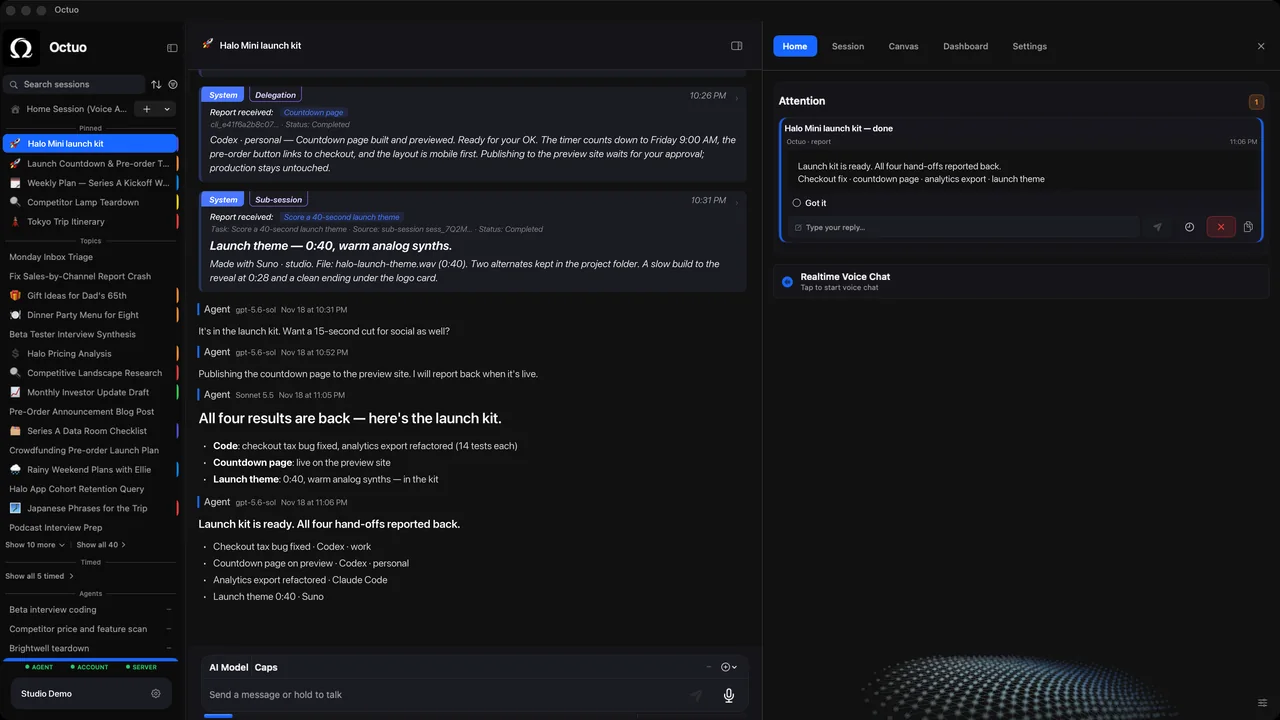
You hand a job to an assistant and then you can't stop looking. Is it done? Did it get stuck? You open the window, glance, close it, and ten minutes later you do it again. The checking costs more than the job, and it chops your own work into pieces too small to finish.
Review windows are a simple fix: you decide in advance when you will look at delegated work, and you look only then. For most people two windows a day are plenty, one in the late morning and one toward the end of the day, though the right times depend on when your results arrive. Here is how to set them up:
- Pick two or three fixed times and put them on your calendar like meetings. A window that is not on the calendar will not survive the first busy day.
- Decide what a job should do when it needs you in between. Say what counts as urgent enough to interrupt you (a decision it cannot make, a risk, a missing input) and where the interruption should go. Everything else waits for the next window.
- Ask for a one-glance status at each window: done, in progress or blocked, and what it needs from you. A status you can read in half a minute is one you will actually read.
- Use the first window for decisions and the second for review. In the morning, unblock whatever is waiting. Late in the day, read the results while you can still send corrections back.
- Adjust the windows after two weeks. If nothing was waiting at most of them, space them out. If things sat blocked for hours, move one earlier or add a third.
Some jobs deserve an exception: anything with a hard deadline, anything that touches money, anything you are still learning to trust. For the first few runs of a new job, look more often, then step back as it proves itself. The aim is not less oversight. It is oversight in blocks.
One more habit helps. When a window finds nothing to do, say so and leave it at that. A check that finds nothing is the system working, and it is easy to start treating it as wasted time. If you catch yourself wanting to look in between, write down what you were worried about. That worry is usually a missing line in the brief or a missing rule in step 2.
A hypothetical week shows the pattern. On Monday you start a research task at nine. At the late-morning window the status says "in progress, nothing needed". At the end-of-day window it says "done, one question". You answer, and it is finished by Tuesday morning. You looked twice, and you never broke your concentration.
Octuo is a personal assistant and one starting point for work across AI, tools and specialist services. It keeps working on long, multi-step jobs over time and reports back when a job is done, so review windows fit the way it works. It is a signed and notarized download, it needs an internet connection, and it uses cloud-hosted models for most calls. Octuo is available for macOS.