How do I connect Claude Code or Codex to tools?
Use an MCP server that exposes the tool you need, connect it in Claude Code or Codex, complete any required authentication, and test one small lookup. MCP gives the agent access to tools and information from another system. Start with a specific task so you can verify the connection actually helps.
What should you connect first?
Choose one task with an answer you can check: retrieve a known ticket, find a document, or read a record. Write down which system holds it and which account should have access. Use a read-only lookup for the first test, with a clear instruction to make no changes.
Claude Code's quickstart describes servers running on your machine or as hosted services. Codex supports local process servers and servers reached through Streamable HTTP. Use the connection method documented for the server you selected. Our delegation-fit questions can help define a useful first task before you expand the scope.
How do you add and authorize the connection?
Follow the official setup page for your client, linked in Sources. In Claude Code, the documented flow is add the server, check its connection status, then use it in a session. A hosted server may require browser sign-in. A project-scoped server requires approval the first time Claude Code encounters it.
For Codex, the MCP guide includes CLI and editor-extension setup. In the extension, open the gear menu, choose MCP servers, add the server with its documented command or URL, save it, and restart the extension. Select Authenticate if its OAuth connection requires sign-in.
Keep passwords, API keys, and other secrets out of chat, as the Codex guide instructs. Use the approved authentication route for that system. For a reusable access habit, see hand over access, not secrets.
How do you know the connection works?
Check status before giving the agent a larger task. Claude Code distinguishes a reachable server needing authentication from a failed connection, a pending project approval, and a connected server whose tools could not be fetched. Those states call for different next steps; follow the matching troubleshooting entry in its quickstart.
Then ask for your known record and name the server in the request. Claude Code labels its tool calls with the server name, so inspect that label as well as the answer. Compare the returned record with what you expected. A useful first result should identify the record and the requested fields, without making changes.
Keep a short note of the server, intended account, scope, and successful test. If something fails later, report the exact status and failed lookup rather than adding several connections at once. This is a suggested testing routine, not a guarantee about any server.
Where Octuo fits
Give Octuo a goal. It delegates work to supported tools and agents, carries the context they need and brings the results back. Octuo can install and configure supported CLIs and handle the setup steps it is authorized to perform.
Octuo can help establish supported external-solution connections and register them for use. You step in for your own account sign-ins, payments and sensitive approvals that must be yours; Octuo handles the surrounding work. Octuo can also hand work to MCP tools.
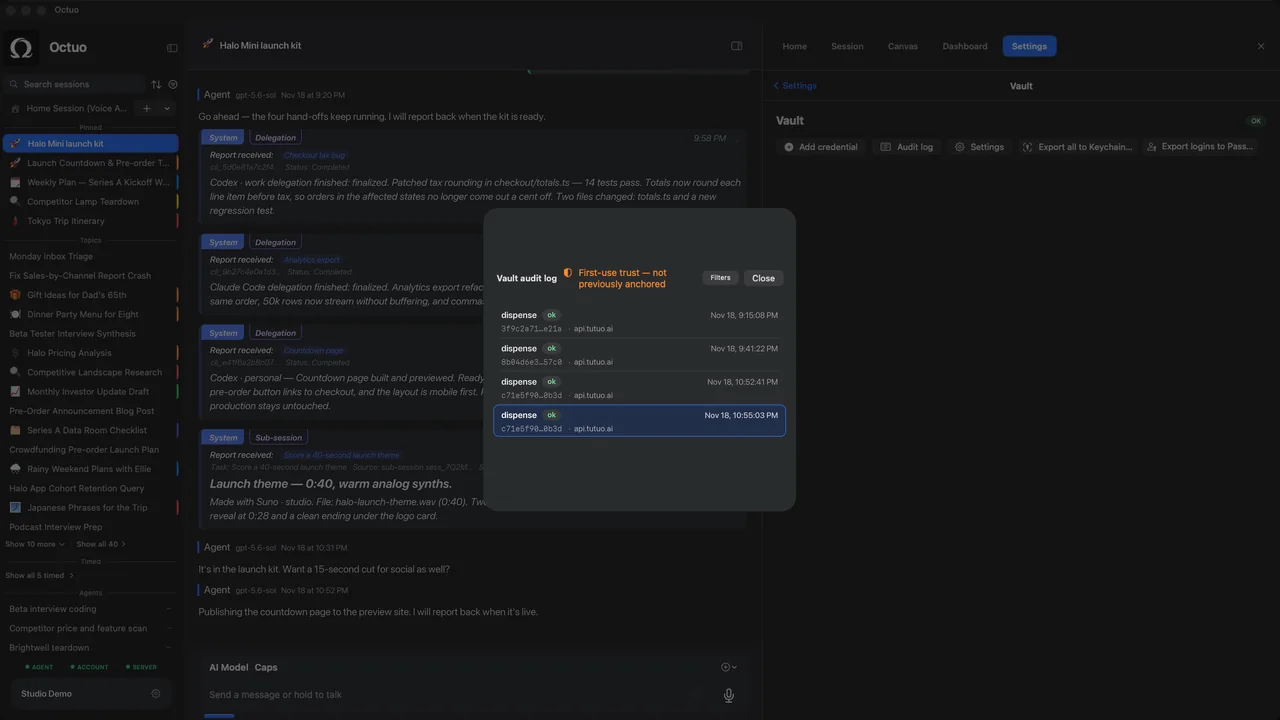
Credentials in Octuo's encrypted Secrets Vault are not exposed raw to the language model. Every use of a credential in the Secrets Vault is written to an audit log.
FAQ
Do I need to build a server myself?
An existing server may cover the task. Both guides explain connecting an existing server; first check whether its tools match the operation you need.
Why is a Claude Code connection missing in another project?
Its default local scope is private to you and active only in the project where it was added. The quickstart explains broader user scope and shared project scope.
Does adding a server prove it works?
No. Claude Code's quickstart distinguishes saving an entry from running it successfully. Check connection status, complete authentication if needed, then test a specific lookup.
Sources
The product names above belong to their owners. We have no affiliation with them.