How do I get alerts from Claude Code or Codex?
Turn on each tool's own alerts, then test them. Claude Code can ring your terminal bell, send a desktop notification, or run a command of yours when it is waiting for you. Codex has desktop alerts, terminal notifications and an external program that runs when a turn completes. Decide which moments deserve a ping before you walk away.
What can Claude Code alert me about?
Claude Code raises a Notification event when it is waiting for your input or permission. Two types matter most: a permission prompt that has waited about six seconds, and an idle prompt about 60 seconds after Claude finished responding. In a terminal, these fire only when you appear to be away.
By default Claude Code sends a desktop notification only in Ghostty, Kitty and iTerm2. Other terminals can use the terminal bell, or a Notification hook that runs your own command or sound alongside the built-in alert. The hooks guide has ready-made commands; read the current version before pasting one.
Two traps from the docs. On macOS, a hook that calls osascript sends its notification through Script Editor, and if Script Editor lacks notification permission the command fails silently. Inside tmux, notifications do not reach your outer terminal until you enable passthrough.
What can Codex alert me about?
In the desktop app that runs Codex, Settings lets you choose whether turn-completion alerts appear never, only while the app is in the background, or always. Permission and question notifications have separate switches. An Activity view, where available, lists chats that are unread, running or waiting for your response.
In the terminal, Codex has built-in notifications plus a notify setting that runs an external program, such as a desktop notifier or chat webhook, when a turn completes. The docs say notify currently supports only agent-turn-complete; the built-in notifications can also cover approval requests. The IDE extension has no separate notification controls: configure notify on the connected host.
How do I check an alert will reach me?
Test before you leave. Start a short task that needs a permission, switch to another app, and see what arrives. If nothing does, check notification permission for your terminal or app, whether a hook is failing silently, and the away-from-keyboard timing above. Test each tool separately.
Which alerts are worth keeping?
Alerts for "needs me" moments, such as a permission prompt or a question, earn their place; an alert for every finished turn can teach you to ignore them all. Keep a waiting-on-me list and set review windows: check in twice a day, not twelve times. To look rather than be pinged, see how to see what an AI agent is doing.
Where Octuo fits
Everything above is each tool's own alerting. Octuo is a personal assistant that coordinates your AI tools, agents and outside services for you: you say the goal, and it handles the preparation, delegation and follow-up. Give Octuo a goal. It delegates work to supported tools and agents, carries the context they need and brings the results back.
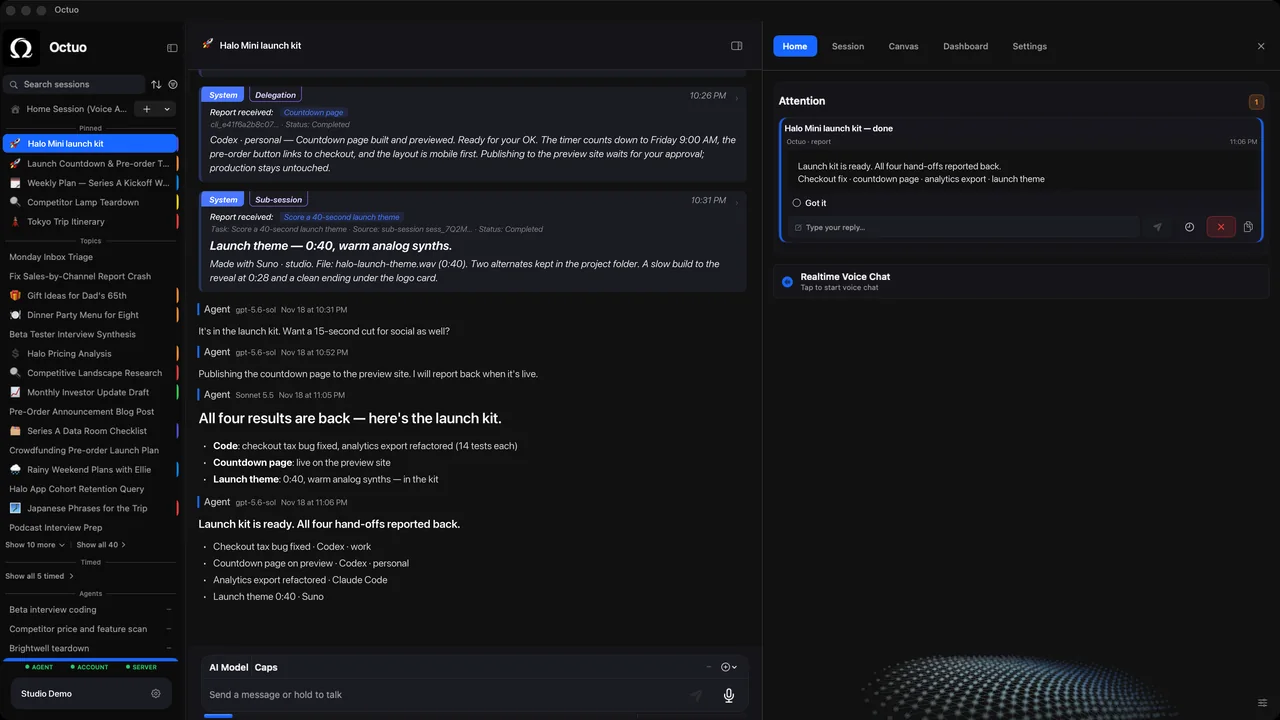
Octuo follows the work and reports back. Progress is there whenever you want to check; decisions that need you come to Attention. It has a dashboard, sessions and the Attention inbox, so checking in is optional, not a new chore. It is not a full prompt or reasoning viewer.
You step in for your own account sign-ins, payments and sensitive approvals that must be yours; Octuo handles the surrounding work. Octuo is a native Mac app and needs an internet connection. See what Octuo does.
FAQ
Why did I get no alert while I was at the keyboard? In terminal sessions, Claude Code's permission and idle alerts fire only when you appear to be away; the permission alert waits about six seconds without typing. Codex's terminal notifications can be set to fire only when unfocused, or always.
Why did my macOS hook alert do nothing?
A hook that uses osascript goes through Script Editor, which needs notification permission or the command fails silently. Allow it in System Settings > Notifications, as the Claude Code hooks guide describes.
Can one alert cover both tools?
Often. Claude Code hooks and Codex's notify each run a command you choose, so both can feed the same notifier or chat webhook. Each passes its own fields, so test one at a time.
Sources
- Claude Code docs, "Automate actions with hooks": https://code.claude.com/docs/en/hooks-guide
- Claude Code docs, "Hooks reference": https://code.claude.com/docs/en/hooks
- Claude Code docs, "Configure your terminal for Claude Code": https://code.claude.com/docs/en/terminal-config
- Codex docs, "Notifications": https://learn.chatgpt.com/docs/notifications
- Codex docs, "Advanced Configuration": https://learn.chatgpt.com/docs/config-file/config-advanced
The product names above belong to their owners. We have no affiliation with them.