Memory you can see and manage: a ten-minute monthly review
初出:WordPress(2026年10月1日)
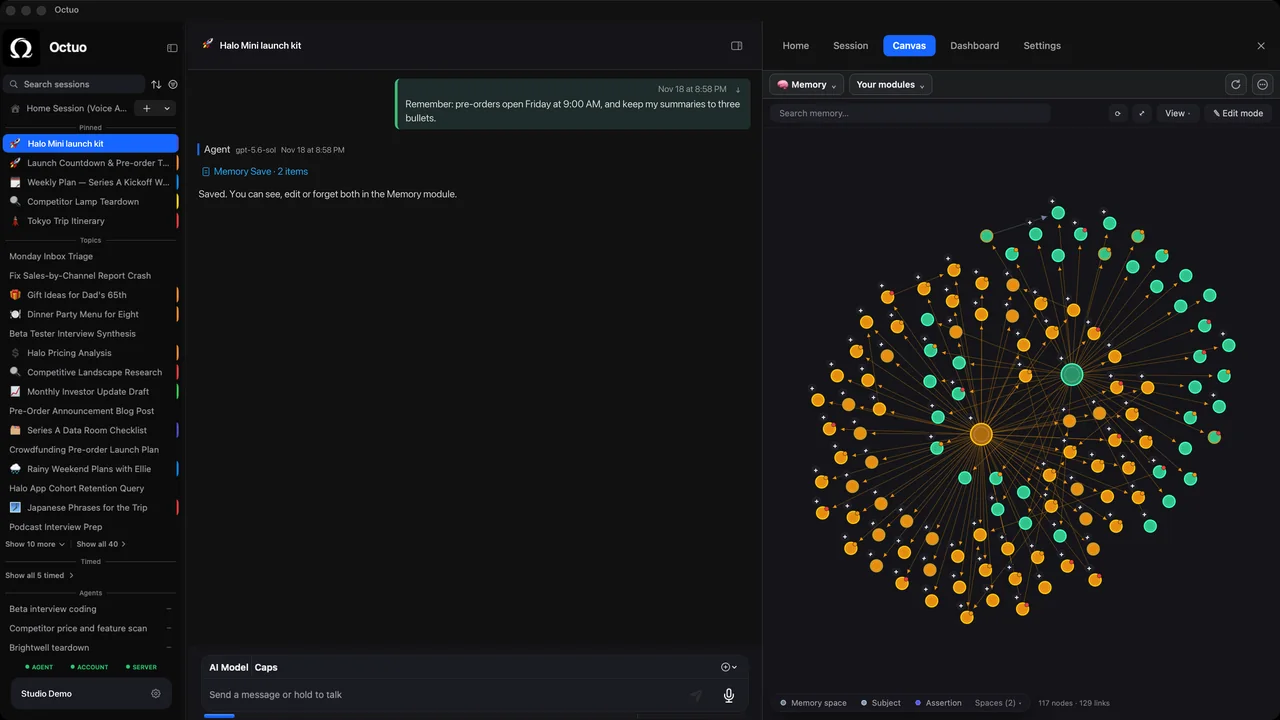
If you’ve worked with an assistant for a few months, you may have wondered what it actually knows about you. The useful question isn’t only whether it remembers. It’s whether you can look at what it keeps and look after it.
We’re the Octuo team. Octuo is a personal assistant and one starting point for work across AI, tools and specialist services. It coordinates the supported tools and services you connect and authorize. Memory is one of the strengths we build, alongside long-running work, tool delegation, model choice and the Canvas.
What you can do with it
Octuo’s Canvas includes a built-in memory module. It lets you view and manage the memory available to your agent, so what your agent can draw on is something you can open, read and keep in good order. A notes module sits alongside it for your own ideas and reference material.
Here, “memory” means the memory available to your agent: the set it can draw on when it works for you, and the set the module lets you view and manage.
A ten-minute monthly review
- Open the memory and read it the way a newcomer would. What picture of you and your work does it paint?
- Note what has gone stale. Anything tied to a moment, such as a deadline, a draft or a plan, can outlive it.
- Note what’s too broad. Something that helps one project can be noise in another.
- Note what’s missing. A preference you keep repeating is worth writing down.
- Manage what you found, then leave it until next month. Memory you never look at is memory you can only trust or distrust. A short, regular pass lets you know it instead.
A made-up pass (hypothetical, for illustration)
This is a hypothetical example, not a screenshot or a recording of the app. Imagine a memory with three entries: “Send the weekly update on Fridays”, “Use the old template for client reports” and “Copy the whole team on project updates”. On review, the first is a keeper. The second used to be right, but the template changed last month, so it needs attention before it misleads anything. The third helps one project and is noise for another. And while you’re there, you notice you keep typing “keep it under 200 words” into every request, which is worth writing down. Ten minutes later you know what’s on file and what deserves a second look.
Why bother
You work better with an assistant when you can see, and look after, the memory available to it. The aim is fewer outdated assumptions and fewer repeated explanations. It’s a practical benefit, and an easy one to try.
Octuo is available for macOS.