Stop refreshing. Tell Octuo what to watch
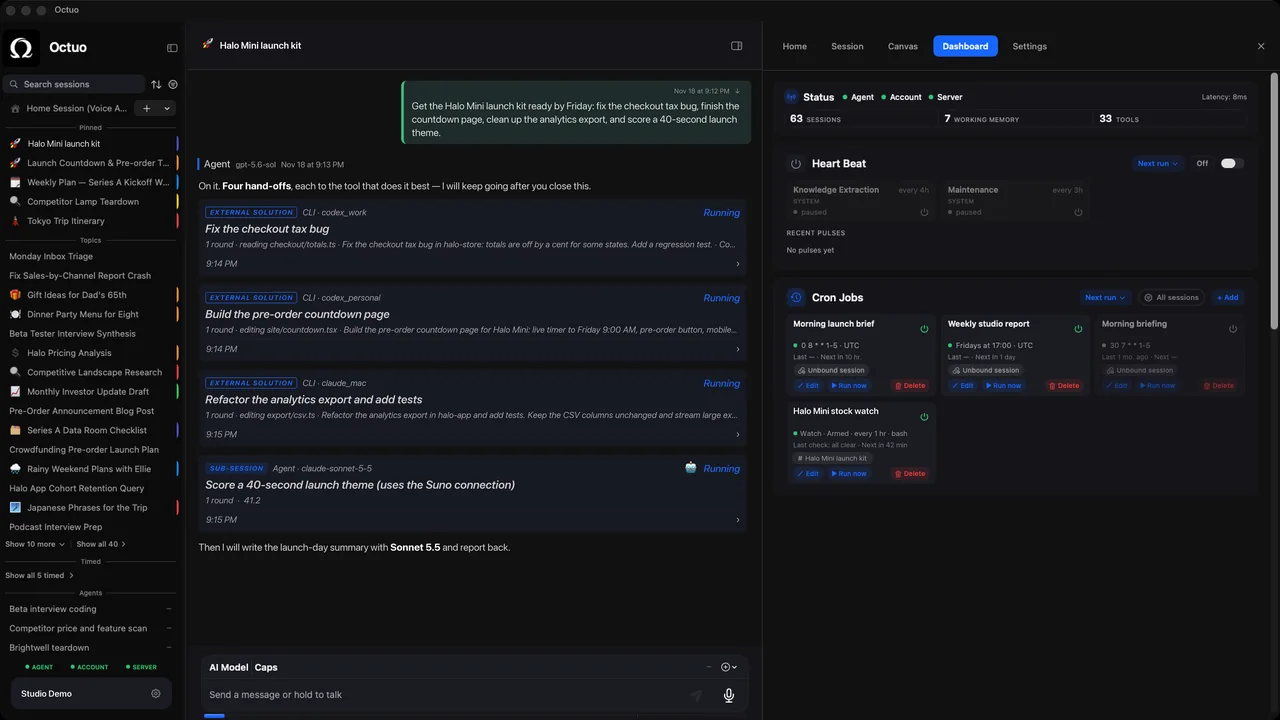
It is Tuesday afternoon, you have reloaded the same careers page for the tenth time today, and it still says what it said this morning. With Octuo you say once what to watch, and it keeps an eye on it for you. You hear from it when something changes, and not before.
What Octuo does at that moment
- You tell Octuo what to watch: one page, one item, one topic. Say it the way you would say it to a person.
- The watch runs on its own, as a schedule or a condition watch, and Octuo notifies you only when something changes. If you want the longer story, we wrote about keeping an AI job running after you close the chat.
- Scheduled routines are something you or Octuo can add and modify, so changing what gets watched later is a matter of saying so.
- If a change needs your decision, it lands in Attention. Progress is there whenever you want to check, and nobody requires you to look.
- Beyond the notice itself, Octuo can pick up a next step you have authorised: draft the reply, add a row to your tracker. You step in for your own sign-ins, payments and the approvals that must be yours, and Octuo handles the surrounding work.
Three examples
These are illustrative situations, not customer stories.
One company's careers page
Someone hoping to join a particular company asks Octuo to watch its careers page for a role that fits the description they give. Days pass without a message, which is the point. Then a note arrives saying a matching role has appeared. Because they authorised it up front, a short draft of an introduction is waiting in Attention for their approval. They decide whether it goes out, and any sign-in the company's site asks for stays with them.
An item that is out of stock
Someone wants a particular item that has sold out. They ask Octuo to watch the product page and tell them when it is back. For a while they hear nothing. When the item returns, one short note says so. Whether to buy it is their call, and the payment is theirs to make.
A research topic
A researcher asks Octuo to follow one topic for new papers. Each time something new appears, a short note says what changed since the last one. They have also authorised a single step: add a row to their tracker for each new paper. Later they decide the topic is too broad, so they tell Octuo to narrow it, and the watch changes with it.
What it does not do
Octuo is not a live feed. A change reaches you after the next check, not the instant it happens, so do not use a watch where seconds matter. It cannot watch what it cannot reach, or a page that needs a verification code only you can give. It acts only within what you authorised, and when nothing has changed, it stays quiet.
FAQ
How often does it check? That is part of the watch: you and Octuo set it when the watch is created, and either of you can change it later. If you are unsure what rhythm fits, schedule it backwards from the moment you need the result. It is a schedule, not a live feed.
If I hear nothing, how do I know it is still watching? A watch notifies you only when something changes, so silence is the normal state. When you want to check, progress is there to look at. You are not asked to look.
Can it do something after it notices, or only tell me? It can do the next step you authorised, such as drafting a reply or adding a row to your tracker, and no more than that. Anything that needs your decision comes to Attention, and sign-ins and approvals that must be yours stay yours.
See what Octuo does. Octuo is in public beta on macOS and web, and an iPhone app is coming soon. New accounts get 1,000 OC trial credits, once per person, no card.