Can I use two Claude Code accounts on one Mac?
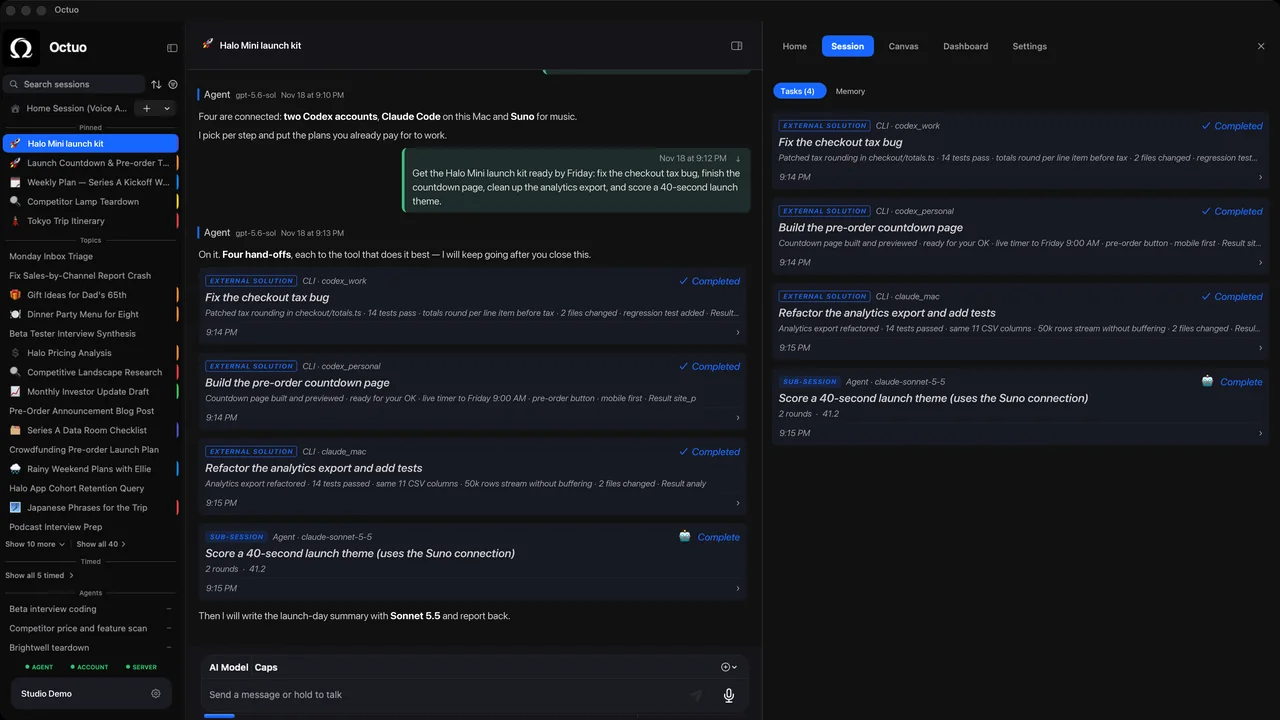
Give each account its own configuration directory. Claude Code's documentation says to set the CLAUDE_CONFIG_DIR environment variable to a different folder when you start claude: each folder keeps its own settings, session history and login. A shell alias per account turns switching into one word, with no logging out and back in.
How do I set up a second account?
- Pick a folder per account. The docs use
~/.claude-workfor a work account and leave the default~/.claudefor a personal one. - Add an alias. In
~/.zshrc(or~/.bashrc), addalias claude-work='CLAUDE_CONFIG_DIR=~/.claude-work claude'. Plainclaudekeeps using your personal account, andclaude-workuses the work one. - Sign in once per folder. Open a new terminal and run
claude-work. On the first run, Claude Code walks you through login and setup for that folder. - Check which account is active. Run
/statusinside a session. Recent versions also haveclaude auth status, which reports the configuration directory in use.
What stays separate, and what doesn't?
Each folder has its own settings, session history, and login or API key. A session you started under one account is not listed under the other. Three things catch people out:
- User-level instructions don't carry over. With
CLAUDE_CONFIG_DIRset, the files that normally live in~/.claude, including a personalCLAUDE.md, are read from the new folder instead. Copy across anything both accounts should follow. - An API key in your shell can win. If
ANTHROPIC_API_KEYis set in your shell, Claude Code can use that key instead of a subscription login, in any folder, once you approve it. If the account looks wrong, check/statusand remove the variable if you did not mean to use it. - One documented exception. The docs say separate folders do not keep two sign-ins apart when both are API-console sign-ins made without an API key, because that kind of sign-in is stored outside the folder.
How do I keep work and personal apart in practice?
The folders separate the logins. Habits keep the rules straight:
- Use each account only for what its owner allows. Accounts your employer pays for are for employer work, and each service's terms and your employer's policy decide what is permitted.
- Don't open or borrow accounts to get around a usage limit. Our post on what to do when you hit a usage limit covers the options the vendors themselves offer.
- Keep a one-line inventory of which account is for what. The work-and-personal accounts guide has a template.
- Codex is a separate case. Its docs say it keeps local state under
CODEX_HOME(~/.codexby default) and stores credentials in anauth.jsonfile or the OS keychain, so read its authentication page before assuming a second folder means a second login.
Where Octuo fits
Everything above works with only the CLI and your shell. Octuo is for when the account juggling is really about carrying context between tools. It is a personal assistant that coordinates your AI tools, agents and outside services for you: you say the goal, and it handles the preparation, delegation and follow-up.
Give Octuo a goal. It delegates work to supported tools and agents, carries the context they need and brings the results back. It coordinates work through your own authorized accounts under each service's terms; external service charges remain separate from Octuo. Octuo does not pool or merge accounts' usage, and it carries the context it hands over rather than importing each vendor's own chat history. You step in for your own account sign-ins, payments and sensitive approvals that must be yours; Octuo handles the surrounding work.
See what Octuo does, or watch the demo video.
FAQ
Can two Claude Code accounts be signed in at the same time?
Yes, if each uses its own configuration directory, as Claude Code's documentation describes. Plain claude and an alias such as claude-work then keep separate logins.
Does a second account give me more usage? No. Each account has its own limits under its own service's terms. Use accounts you are authorized to use, for the work they are meant for.
Do I need Octuo to do this? No. The steps above need only the CLI and your shell. Octuo is optional, for coordinating work across accounts you have authorized.
Sources
- Claude Code docs, "Authentication", section "Log in with multiple accounts": https://code.claude.com/docs/en/authentication (accessed 2026-10-17)
- Claude Code docs, "Configuration" and "Explore the .claude directory": https://code.claude.com/docs/en/configuration, https://code.claude.com/docs/en/claude-directory (accessed 2026-10-17)
- Claude Code docs, "CLI reference" (
claude auth status): https://code.claude.com/docs/en/cli-reference (accessed 2026-10-17) - Codex docs, "Advanced Configuration", section "Config and state locations": https://learn.chatgpt.com/docs/config-file/config-advanced (accessed 2026-10-17)
The product names above belong to their owners. We have no affiliation with them.