Don't be the bottleneck: keep a "waiting on me" list for the work you've handed off
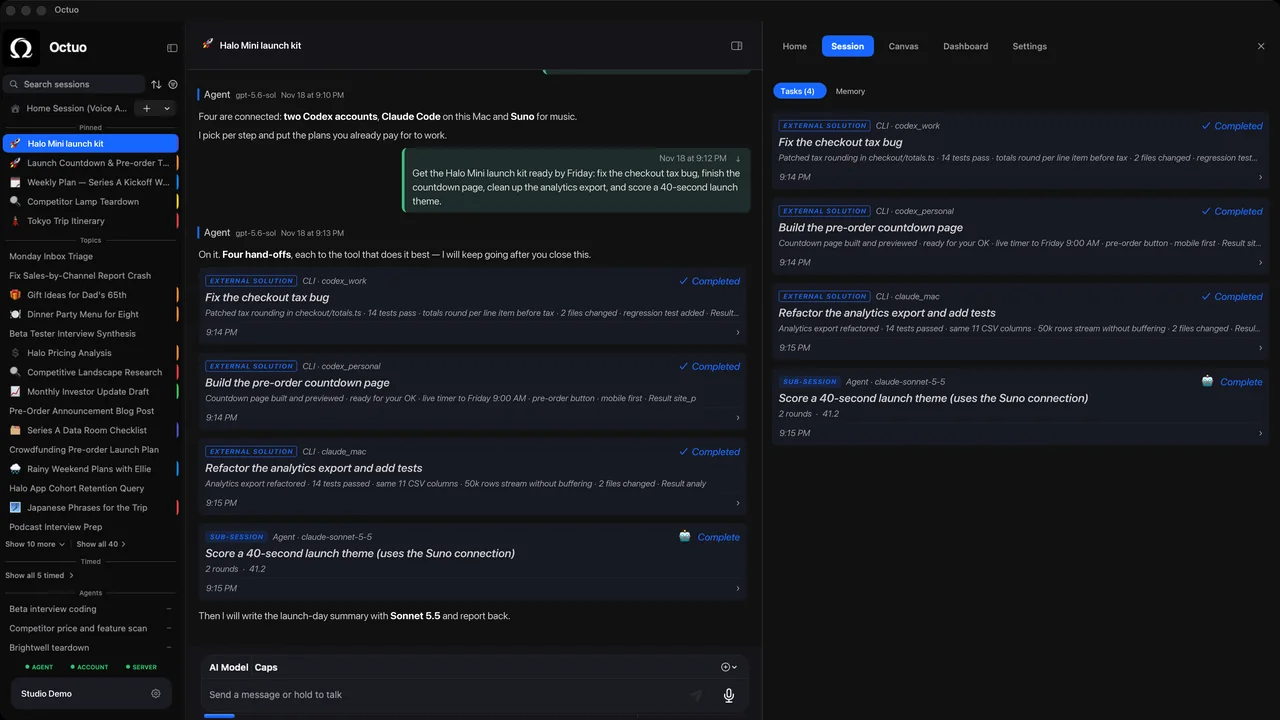
You have handed off six things, and all six are moving. On Thursday three of them stop at the same moment, each waiting for one word from you. The work was delegated. The delay was yours.
Handing work off moves effort to somebody else, but it adds a new job for you: answering. A "waiting on me" list is the mirror image of a follow-up list. It tracks what other people and tools are waiting for you to decide, approve or supply. It takes a few minutes a day and works for any helper, whether a colleague, a contractor or an AI assistant. The examples are illustrative.
Step 1: Collect what is waiting in one place
Questions to answer, drafts to approve, access to grant, files to supply. Write them on one list rather than leaving them in six inboxes and three chat threads. If you only find out what is waiting when you go looking, you do not have a list yet. Start the day by skimming the places where questions pile up: the inbox, the shared notes and wherever a helper reports back.
Step 2: Write who is blocked, and since when
"Report draft, waiting on a go-ahead, since Tuesday 14:00." The "since" matters. Waiting time is invisible to you and very visible to the person waiting, and a date turns "I'll get to it" into something you can watch grow.
Step 3: Sort by what is stuck, not by what feels urgent
Put the items that block other work first. A one-word answer that unblocks three tasks is worth more than a long review of one. Ask of each item: what stops if I do not answer today? An item that blocks nothing can wait for the end of the list, however interesting it is.
Step 4: Answer in the smallest useful reply
"Yes." "Option B." "Go ahead, up to twenty items." A short answer that unblocks a job is worth more than a considered one that arrives tomorrow. If an answer needs more thought, say when you will give it, so that the person waiting can plan around you.
Step 5: Turn repeat answers into standing rules
If you give the same answer three times, write it down as a rule: "If a request is under fifty items, go ahead and tell me afterward." State the limit and say what to do outside it. A good rule removes a whole category of waiting, and it should be easy to change when the situation does.
Set a window for answering
Pick one or two times a day when you clear the list, and tell your helpers when they are. People wait better for a known time than for an unknown one, and your other work stops being interrupted by the worry of a blocked job. Say what counts as urgent enough to break the window, and how to flag it, so that the rest can wait.
A hypothetical Thursday
Three items are waiting: a venue question, a draft to approve and a request for access to a folder. The list shows that the venue question has waited since Tuesday and blocks two other things, so you answer it first, with one word. You approve the draft with a one-line note. For the folder, you grant access and write a rule for next time: "Read-only access to the project folder is fine without asking." The list is empty by 11:00 and nothing is blocked.
Where Octuo fits
We're the Octuo team. Octuo is a personal assistant and one starting point for work across AI, tools and specialist services. It hands tasks to specialist tools you've installed, set up and authorized and to outside services, and it reports back when a job is done. The list above is the part of a handoff that stays with you. Octuo is available for macOS. It is a signed and notarized download, it needs an internet connection, and it uses cloud-hosted models for most calls.