How do I get an AI assistant to remember what I told it?
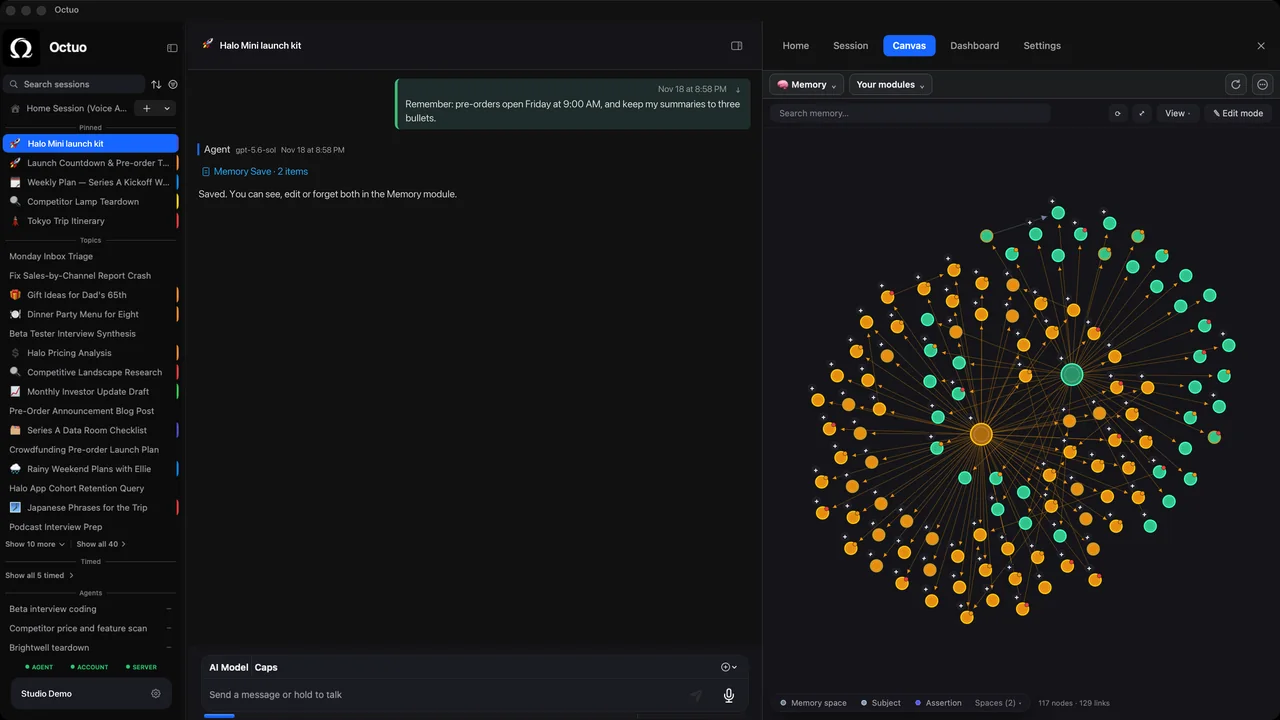
Write down what you keep repeating (who you are, how you like things done, what is in flight), keep it in one short note your assistant can read, and review it monthly. Some assistants also keep memory automatically. The note is the version you can inspect and correct yourself, so start there.
What does it mean for an assistant to "remember"?
Three kinds of information have different lifespans:
- Standing preferences change rarely: tone, formats, the way you want results delivered.
- Project context changes over weeks: decisions made, names, where files live.
- Session facts matter for hours: today's draft, this afternoon's question.
Most "it forgot" complaints are a fact stored in the wrong layer. A project detail saved as a preference goes stale, and a preference left in a chat disappears with it. Some tools also start each session with a fresh context window. Claude Code's documentation says so, and names two ways to carry knowledge across sessions: instruction files you write, and notes the tool writes itself.
How do I build the note?
- Collect for a week. Every time you type the same sentence twice, copy it into a scratch file.
- Sort into the three layers. Preferences first, then project context. Leave session facts out.
- Make each line checkable. "Keep status updates under five sentences" beats "be concise".
- Date anything that expires. A deadline or a draft will outlive its usefulness.
- Put it where the tool reads it. Claude Code reads a
CLAUDE.mdfile at the start of every session, and its docs suggest keeping each file short, under about 200 lines. Other assistants have their own place for standing instructions, so look for it. - Keep secrets out. Passwords, API keys and tokens do not belong in a note.
If you want your drafts to sound like you, a one-page voice sheet is a good first entry.
How do I check that it is actually used?
Start a fresh session. Ask a question whose answer depends on one line of your note, without hinting at it. If the answer ignores the line, shorten the note or move the line somewhere more prominent.
Memory is context an assistant can draw on, not a guarantee that every item shapes every answer. Review the note once a month: read it like a newcomer, delete what is stale and fix what contradicts itself. Our ten-minute monthly review shows how.
What about a chat that has gone stale?
Long conversations pile up versions of the truth. Instead of correcting forever, write a short restart note (goal, decisions, rejected options, current state, next step) and begin again. We have a template in long chats go stale: write a restart note.
Where Octuo fits
Octuo recalls what you have said anywhere in your account, so you do not have to repeat yourself. We do not claim it never forgets, and memory is context it can draw on, not something used in every task.
The Canvas includes a memory module that lets you view and manage the memory available to the agent. It is not a complete prompt or internal-reasoning viewer. Tasks carry forward across sessions, with context that survives the conversation.
When you give Octuo a goal, it delegates work to supported tools and agents, carries the context they need and brings the results back. It does not import each vendor's own chat history. See what Octuo does.
FAQ
Does an assistant remember everything I tell it? No. Whatever the product, memory is context the assistant can draw on, and a short, checkable note works better than a long pile of text. That includes Octuo.
Can I see and edit what Octuo remembers? You can view and manage the memory available to the agent in Octuo's built-in memory module. It does not show the full prompt or the model's internal reasoning.
Is Octuo's memory shared with Claude Code or Codex? Each tool keeps its own session history. When Octuo hands work to a supported tool, it carries the context the task needs, and it does not import each vendor's own chat history.
Sources
- Claude Code docs, "How Claude remembers your project": https://code.claude.com/docs/en/memory (accessed 2026-10-17)
- Claude Code docs, "Authentication" (session history is stored per configuration directory): https://code.claude.com/docs/en/authentication (accessed 2026-10-17)
- Codex docs, "Advanced Configuration", "Config and state locations" (
history.jsonlunderCODEX_HOME): https://learn.chatgpt.com/docs/config-file/config-advanced (accessed 2026-10-17)
The product names above belong to their owners. We have no affiliation with them.